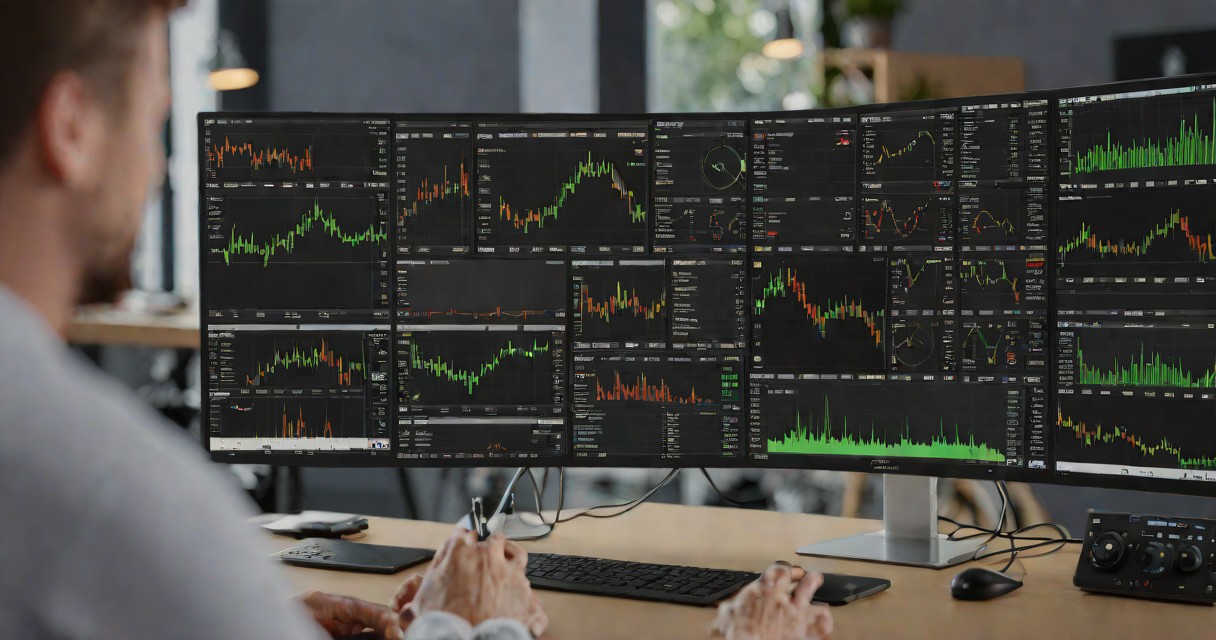
Expert Advisors transform MetaTrader 5 from a charting platform into an automated trading machine that executes your strategy 24 hours a day without fatigue, emotion, or hesitation. For Indian traders who cannot monitor markets during work hours or who want to capture Tokyo, London, and New York session opportunities without being physically present, EAs provide the solution. This guide covers everything from finding reliable EAs to deploying them on XM and Exness accounts with proper risk management for hands-free forex trading from India. For a detailed breakdown of fees and features, see our XM broker review for Indian traders.
What Expert Advisors Are and How They Work
An Expert Advisor is a program written in MQL5 that runs inside MetaTrader 5 and executes trading decisions automatically based on coded logic. The EA monitors price data, calculates indicators, identifies trade setups, places orders, manages open positions, and applies risk management rules without any human intervention. Once attached to a chart and activated, the EA operates continuously as long as MT5 is running.
EAs can implement any strategy that can be defined with rules: moving average crossovers, breakout systems, mean-reversion algorithms, news trading bots, grid systems, and arbitrage strategies. The critical requirement is that the strategy must be reducible to explicit if-then rules. Discretionary elements like I feel the market wants to go up cannot be coded. This constraint actually improves most strategies by eliminating the subjective judgment calls that lead to inconsistent execution.
The MQL5 programming language provides built-in functions for every aspect of trading: OrderSend() for placing orders, PositionGetDouble() for reading position data, iMA() for calculating moving averages, and hundreds more. You can write your own EAs if you have programming experience, hire a developer from the MQL5 freelance marketplace, or purchase ready-made EAs from the MQL5 Market.
Finding and Evaluating EAs
The MQL5 Market contains thousands of EAs ranging from free to several thousand dollars. The challenge is separating genuinely profitable EAs from curve-fitted garbage that looks good in backtests but fails in live trading. Apply these evaluation criteria: verified live trading results on MyFXBook or MQL5 signals (not just backtests), at least 12 months of live performance data, a maximum drawdown below 20 percent during live trading, and transparent strategy logic described by the developer.
Free EAs from forums and GitHub repositories can be viable but require careful testing. Download the EA, install it in your MT5 data folder, and run a strategy tester backtest on at least 2 years of historical data using real tick data mode. Evaluate the equity curve for smoothness, the profit factor (above 1.5 is good), the maximum drawdown, and the number of trades (minimum 200 for statistical reliability). You may also find our top forex brokers for Asian traders helpful.
Avoid EAs that promise guaranteed returns, show only backtested results without live verification, use martingale or grid strategies without stop-losses (these eventually blow accounts), or have reviews that appear manufactured. The best EAs have modest but consistent returns of 2 to 5 percent monthly with drawdowns below 15 percent. These boring-looking equity curves represent genuine edges rather than leveraged gambles.
Deploying EAs on XM and Exness
XM allows Expert Advisors on all account types with no restrictions on strategy type, trade frequency, or holding duration. To deploy: open MT5, log into your XM account, navigate to the Navigator panel, expand Expert Advisors, drag your EA onto the chart of your chosen pair and timeframe. Click AutoTrading in the toolbar to enable automated execution. Ensure Allow algorithmic trading is checked in the EA properties.
Exness similarly supports EAs without restrictions. Exness Raw Spread accounts are ideal for high-frequency EAs due to the lowest possible spread costs. The deployment process is identical to XM. Exness fast execution infrastructure ensures that EA orders are filled at or near the requested price with minimal slippage.
For reliable 24/5 EA operation, run MT5 on a VPS rather than your home computer. XM offers free VPS for qualifying accounts. Alternatively, rent a VPS from a provider with servers near your broker data center. Connect to the VPS via Remote Desktop, install MT5, deploy your EA, and disconnect. The EA runs continuously on the VPS regardless of your home power or internet status. Monitor via the MT5 mobile app. See our algo trading guide for VPS setup details.
Optimizing EA Parameters
The MT5 Strategy Tester includes a built-in optimization mode that tests thousands of parameter combinations to find the optimal settings. Select the parameters to optimize (such as moving average periods, stop-loss distance, and take-profit distance), set the range for each, and run the genetic optimization algorithm. MT5 evaluates each combination against historical data and ranks them by your chosen criterion (profit factor, Sharpe ratio, or custom).
Optimization dangers: over-optimization (curve-fitting) produces parameters that perfectly match historical data but fail in live markets. Prevent over-fitting by using walk-forward analysis: optimize on 70 percent of historical data and test on the remaining 30 percent. If the EA performs within 80 percent of optimized results on the unseen data, the parameters are robust. If performance degrades significantly, the optimization has over-fitted. For more on this topic, see our forex broker guide for Asia.
Re-optimize EA parameters quarterly to adapt to evolving market conditions. Market volatility, correlation patterns, and liquidity conditions shift over time, and EA parameters that were optimal in Q1 may be suboptimal by Q3. Schedule quarterly optimization reviews and deploy updated parameters only after walk-forward validation confirms the improvements are genuine.
Risk Management for EA Trading
Never deploy an EA on a live account without completing these steps: backtest on 2 or more years of tick-level data with realistic spread and commission settings, forward-test on a demo account for at least 30 days to verify live behavior matches backtest expectations, and deploy on a live account with minimum position sizes for an additional 30 days before scaling up.
Hard-code risk limits into the EA itself: maximum daily loss percentage (halt at negative 2 percent), maximum number of open positions (prevent runaway order placement), maximum lot size per trade, and a daily trade count limit. These safety mechanisms prevent a malfunctioning EA from destroying your account overnight. Even if you trust the strategy logic, code safety limits as defense against unforeseen bugs or data feed errors.
Monitor EA performance weekly. Compare live results against the backtested equity curve. If the live Sharpe ratio falls below 0.5 for a rolling 30-trade window, pause the EA and investigate. Check for: broker execution quality changes, spread widening, server latency increases, and market regime shifts that may require parameter adjustment. Automated trading requires automated monitoring.
Frequently Asked Questions
Can I run Expert Advisors on XM?
Yes. XM allows EAs on all account types with no restrictions on strategy type, trade frequency, or holding period. XM also offers free VPS hosting for qualifying accounts, enabling 24/5 EA operation without running your home computer.
Do I need to know programming for EAs?
Not necessarily. You can purchase ready-made EAs from the MQL5 Market, hire developers from the MQL5 freelance marketplace, or use no-code EA builders. However, basic MQL5 knowledge helps you evaluate, customize, and troubleshoot EAs more effectively. For more on this topic, see our AvaTrade review.
How much does a good EA cost?
Quality EAs on the MQL5 Market range from USD 100 to USD 2,000. Free EAs are available but require careful evaluation. The cost of the EA is minor compared to the potential losses from deploying a poorly designed one. Invest in thorough backtesting and forward testing regardless of the EA price.
Can an EA make me consistently profitable?
A well-designed EA based on a genuinely profitable strategy can generate consistent returns. However, no EA produces profits indefinitely without monitoring and periodic optimization. Treat EA trading as a semi-automated process requiring weekly oversight rather than a fully passive income source.
Risk Disclaimer: Trading involves high risk. Educational content only. Contains affiliate links.