Why Bangalore Traders Need Coworking Spaces
Trading from home in Bangalore sounds ideal until reality hits. Your flatmate starts a Zoom call during market hours. The building's power cuts knock your internet out at 2:30 PM during the closing volatility. The delivery person rings the bell right as your GTT triggers and you need to manage the position. And the loneliness of sitting alone staring at charts for 6+ hours erodes both your mental health and your trading discipline.
Coworking spaces solve all of these problems. Reliable power backup, redundant internet, a quiet environment during market hours, and — crucially — the presence of other traders who understand why you cannot go for lunch at 12:30 because Bank Nifty is testing the day's high.
But not all coworking spaces are suitable for traders. Most are designed for startup teams and freelancers who need video call rooms and whiteboard walls. Traders need something different: fast, reliable internet (not just fast — RELIABLE), the ability to use multiple screens, quiet zones during Indian market hours (9:15 AM-3:30 PM IST), and no forced socialisation events during trading sessions.
Here are the Bangalore coworking spaces that actually work for traders, based on conversations with full-time traders who use them daily.
Best Coworking Spaces for Traders in Bangalore
| Space | Location | Monthly Cost (Rs) | Internet Speed | Power Backup | Multi-Monitor Friendly |
|---|---|---|---|---|---|
| WeWork Galaxy | Residency Road | 14,000-18,000 | 300 Mbps (fibre) | Full diesel backup | Yes (dedicated desk) |
| WeWork Embassy TechVillage | Outer Ring Road | 12,000-16,000 | 300 Mbps (fibre) | Full diesel backup | Yes (dedicated desk) |
| 91springboard | Koramangala, JP Nagar | 7,000-12,000 | 100-200 Mbps | 4-hour battery + diesel | Yes (dedicated desk only) |
| Cowrks | Indiranagar, Whitefield | 8,000-14,000 | 200 Mbps | Full diesel backup | Yes (all tiers) |
| GoHive | HSR Layout, Koramangala | 5,000-8,000 | 100 Mbps | Battery backup (2-3 hours) | Limited (hot desk — bring own monitor) |
| Workshaala | Indiranagar | 6,000-10,000 | 150 Mbps | Battery + diesel | Yes (dedicated desk) |
Detailed Reviews
WeWork Galaxy (Residency Road)
This is the premium option and the one used by the most serious full-time traders in Bangalore. The location on Residency Road puts you in the commercial heart of the city. The internet is rock-solid — 300 Mbps fibre with full diesel backup means zero downtime even during Bangalore's notorious monsoon power cuts.
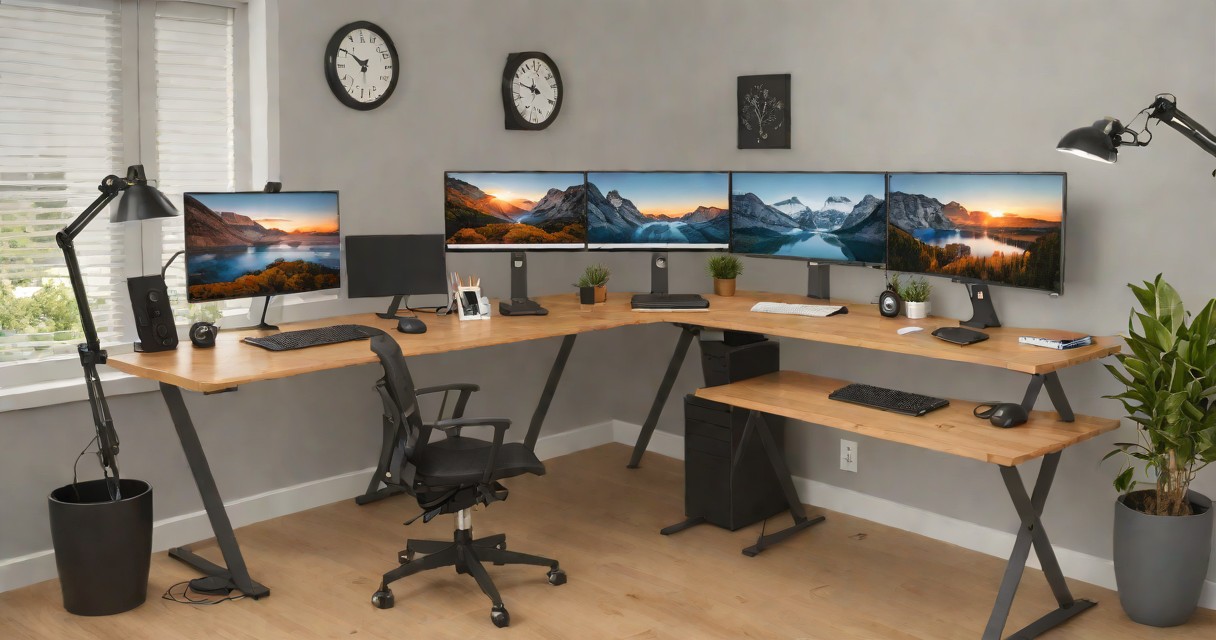
Dedicated desks come with lockable storage (critical for keeping your external monitors, mouse, and keyboard overnight). Several traders here run dual or triple monitor setups with monitor arms clamped to the desk. The ambient noise level during market hours is low — most co-tenants are startup teams on calls using meeting rooms, leaving the open desk area quiet.
The downside: price. At Rs 14,000-18,000 per month for a dedicated desk, this is a serious expense for a trader whose monthly income from markets might be variable. Calculate whether this cost is offset by the productivity gain — for most full-time traders clearing Rs 50,000+/month, it is.
91springboard (Koramangala and JP Nagar)
The best value option for traders. The Koramangala location on 80 Feet Road is in the heart of Bangalore's startup hub, surrounded by cafes and lunch options. JP Nagar is quieter and more residential — better for traders who want fewer distractions.
Internet reliability is good (100-200 Mbps) but not as consistent as WeWork. I have heard reports of 2-3 brief outages per month lasting 5-10 minutes — manageable for swing traders with GTT orders set, but potentially costly for intraday traders during volatile sessions. Keep your phone hotspot ready as backup.
At Rs 7,000-12,000/month for a dedicated desk, this is where most part-time and early-stage full-time traders start. The community events (Friday evenings, occasional workshops) are optional and can be useful for networking with other traders.
Cowrks (Indiranagar and Whitefield)
Cowrks has positioned itself as a premium alternative to WeWork at a lower price point. The Indiranagar location (Church Street) is compact but well-designed. Whitefield's location is larger and closer to the IT corridor — convenient for tech professionals who trade part-time and want to be near their office.
Full diesel backup and 200 Mbps internet make it reliable for trading. The multi-monitor policy is flexible — you can bring and set up your own monitors on dedicated desks without restrictions. Meeting rooms can be booked by the hour if you need a private space for trading coaching calls or screen-sharing sessions with your trading group.
GoHive (HSR Layout and Koramangala)
GoHive is the budget entry point. At Rs 5,000-8,000/month, it is affordable enough for traders who are still building capital and cannot justify a Rs 15,000/month coworking expense. HSR Layout is a residential area with good food options and relatively low noise.
The catch: hot desk plans (where you do not have a fixed desk) mean you cannot leave monitors and equipment overnight. You would need to carry your setup daily or work from a single laptop. For traders who use a laptop with an external portable monitor (ASUS ZenScreen or similar), this works fine. For multi-monitor setups, upgrade to a dedicated desk.
What to Check Before Signing Up
- Internet redundancy: Ask specifically about backup internet connections. Good coworking spaces have a primary fibre line and a secondary 4G/5G failover. If they only have one ISP, your trading is at risk during any ISP outage.
- Power backup duration: Battery UPS gives you 2-3 hours. Diesel generator gives you unlimited (until fuel runs out). During Bangalore's monsoon season (June-September), power cuts can last 4-6 hours. Battery-only backup is inadequate.
- Noise levels during market hours: Visit the space during 10 AM-12 PM (peak trading hours) before signing up. Check if there are phone booths or meeting rooms nearby that leak sound. Some spaces are noisier on specific days (Monday standups, Friday demos).
- Monitor policy: Confirm you can bring and permanently mount external monitors at your dedicated desk. Some spaces restrict desk modifications for aesthetic reasons.
- Desk power outlets: You need at least 2-3 power outlets at your desk for laptop, external monitor(s), and phone charger. Some hot desk setups have only one outlet per desk.
The Trading Coworking Routine
Here is a typical day for a Bangalore-based full-time trader working from a coworking space:
- 8:00-8:30 AM: Arrive. Set up if needed (hot desk) or settle in (dedicated desk). Review overnight global markets, check GIFT Nifty, finalise watchlist.
- 8:30-9:15 AM: Pre-market preparation. Place AMO (After Market Orders) for the day. Set alerts on Zerodha Kite or Angel One. Grab coffee from the pantry.
- 9:15-10:30 AM: Active session. Opening range plays, execute planned trades, monitor positions. This is the "quiet zone" time — most serious traders put on headphones.
- 10:30 AM-2:00 PM: Low-intensity monitoring. Check positions every 30 minutes. Use the time for analysis, screening on Tickertape, or reading. Lunch at 12:30-1:00 PM.
- 2:00-3:30 PM: Closing session. Manage positions, close intraday trades, set up overnight positions. Final P&L review.
- 3:30-5:00 PM: Post-market. Update trading journal, run evening scanners, prepare for tomorrow. Some traders stay for the forex evening session (7-10 PM) through Exness or XM.
The coworking environment creates a natural structure that home trading lacks. You "commute" to work, you have dedicated trading hours, and you physically separate your trading workspace from your living space. This mental separation is underrated — it prevents the burnout that comes from living where you trade and trading where you live.
Alternatives to Formal Coworking
If dedicated coworking is too expensive, Bangalore offers alternatives:
- GoFloaters app: Book individual days at various coworking spaces across Bangalore. Rs 300-500 per day. Good for testing spaces before committing to monthly plans.
- Cafes with reliable wifi: Third Wave Coffee (Koramangala, Indiranagar), Starbucks Reserve (MG Road), and Dyu Art Cafe (Koramangala) have consistent wifi and enough outlets. Viable for swing traders who just need to check positions a few times. Not suitable for active intraday trading.
- Shared trader apartments: An emerging trend in HSR Layout and Koramangala — 3-4 full-time traders share a 3BHK apartment, converting one room into a dedicated trading room with dual fibre connections, UPS, and multi-monitor setups. Monthly cost per person: Rs 8,000-12,000 including internet and power backup. The social benefit of trading alongside peers who share your discipline is significant.
Internet and Connectivity Requirements for Trading
The minimum internet speed for comfortable trading is 25 Mbps download with under 50ms latency. For algo trading through the Kite Connect API, lower latency matters more than raw speed — a 100 Mbps connection with 80ms latency is worse than a 50 Mbps connection with 20ms latency for order execution.
Bangalore's fibre providers (ACT Fibernet, Airtel Xstream, Jio Fiber) deliver 100-300 Mbps in most areas, which is more than adequate. The issue is not speed — it is reliability. ACT Fibernet has occasional 5-10 minute outages during heavy rain (common during June-September monsoon). Airtel Xstream is generally more stable but costs 20-30% more.
Every coworking space listed above has enterprise-grade internet that is more reliable than residential connections. If you trade from home, invest in a dual-ISP setup (primary ACT Fibernet + backup Airtel 4G hotspot, or vice versa). Auto-failover routers (Rs 3,000-8,000 on Amazon) switch between connections when one goes down, ensuring you are never offline during market hours. A 5-minute internet outage during a volatile Nifty session can cost more than a year of backup ISP fees.
The bottom line: if you are serious about trading as a career in Bangalore, invest in a reliable workspace. The Rs 7,000-15,000/month cost is not an expense — it is infrastructure that prevents the missed trades, internet outages, and psychological isolation that silently drain your trading account.